
Discover QuickBill Demo Experience with a Free Demo
When it comes to managing business operations efficiently, having the right software can make all the difference. I recently explored QuickBill, an ERP solution developed by Madhi Group, designed to help businesses streamline their processes and boost productivity. What caught my attention was the opportunity to try a free demo before committing. This hands-on experience gave me a clear understanding of how QuickBill can transform business management.
My QuickBill Demo Experience: What I Learned
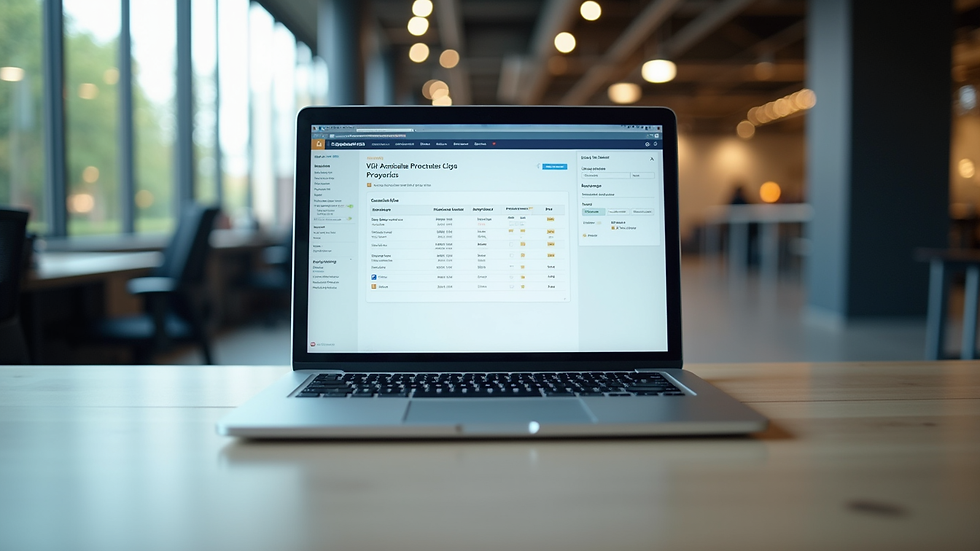
Trying out the QuickBill demo was straightforward and insightful. The interface is clean and user-friendly, making navigation simple even for those new to ERP software. The demo allowed me to explore key features such as invoicing, inventory management, and reporting tools. I appreciated how each function was designed to save time and reduce errors.
The demo also highlighted QuickBill’s flexibility. Whether you run a small retail shop or a large manufacturing unit, the software adapts to your needs. The system’s automation capabilities stood out, especially in generating invoices and tracking payments. This reduces manual work and helps maintain accurate financial records.

The demo experience gave me confidence that QuickBill is not just another ERP tool. It’s a smart management solution that can grow with your business. The free demo is a great way to see these benefits firsthand without any risk.
Why QuickBill Stands Out for Business Management
QuickBill is more than just billing software. It’s a comprehensive ERP system that integrates various business functions into one platform. This integration helps eliminate data silos and improves communication across departments.
Some standout features include:
Automated invoicing and billing to speed up cash flow.
Inventory tracking that updates in real-time.
Detailed financial reports for better decision-making.
User-friendly interface that requires minimal training.
Customizable modules to fit different industries and business sizes.
These features work together to reduce operational costs and increase efficiency. The software’s design focuses on simplicity and effectiveness, which is crucial for busy business owners and managers.
What is easyebilling used for?
Easyebilling is primarily used for managing billing and invoicing tasks efficiently. It helps businesses generate accurate invoices quickly, track payments, and maintain organized financial records. This software is ideal for companies looking to automate their billing processes and reduce manual errors.
By automating routine billing tasks, easyebilling frees up time for businesses to focus on growth and customer service. It also supports multiple payment methods and integrates with other financial tools, making it a versatile choice for various industries.
How to Get the Most from Your QuickBill Software Demo
To maximize the value of your quickbill software demo, here are some tips:
Prepare your business data - Have your sample customer lists, products, and services ready to input. This makes the demo more relevant.
Explore key features - Focus on invoicing, inventory, and reporting modules to see how they fit your workflow.
Ask questions - Use the demo session to clarify any doubts about customization or integration.
Test automation tools - Try generating invoices and reports automatically to understand time savings.
Evaluate user experience - Check how easy it is for your team to learn and use the software.
By following these steps, you can get a clear picture of how QuickBill will support your business operations.

Why QuickBill is the Smart Choice for Growing Businesses
QuickBill, developed by Madhi Group, aims to be the go-to ERP software for businesses across many industries. It helps companies streamline operations, boost productivity, and drive growth through efficient and smart management solutions.
The software’s scalability means it can support small startups as well as large enterprises. Its modular design allows businesses to add features as they grow, ensuring they only pay for what they need. This flexibility is a major advantage in today’s fast-changing market.
Moreover, QuickBill’s focus on automation and accuracy reduces human error and improves financial control. This leads to better cash flow management and more informed business decisions.
If you want to experience these benefits yourself, I highly recommend trying the quickbill software demo. It’s a risk-free way to see how this powerful tool can transform your business.
Take the Next Step with QuickBill Today
Exploring QuickBill through the free demo was an eye-opening experience. It showed me how much easier business management can be with the right software. From invoicing to inventory and reporting, QuickBill covers all the essentials with ease and efficiency.
If you’re looking for a reliable ERP solution that grows with your business, QuickBill is worth considering. The free demo lets you test the software’s capabilities and see how it fits your unique needs.
Don’t wait to improve your business operations. Try the quickbill software demo today and discover how QuickBill can help you work smarter, not harder.


Comments